

{{ variable.name }} : {{ variable.values[selectedVariantsIndex[variable_index]].name }}
Condition:
Quantity:
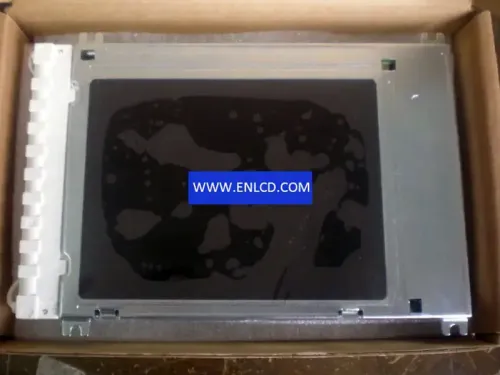
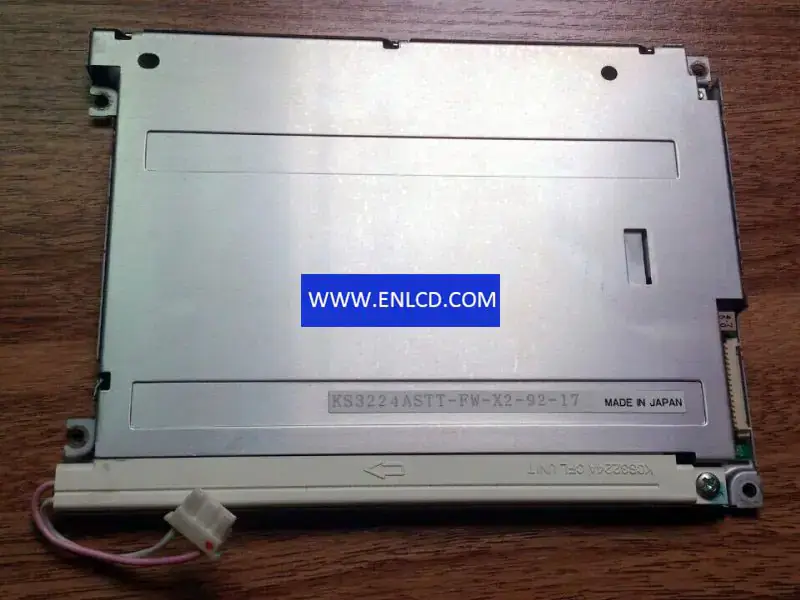
| Model: | KS3224ASTT-FW-X2 |
| Brand: | Kyocera |
| Diagonal Size: | 5.7 inch |
| Resolution: | 320 × 240 (QVGA, 70 PPI) |
| Pixel Format: | Rectangle |
| Panel Type: | FSTN-LCD, LCM |
| Display Mode: | STN, Black/White (Negative), Transmissive |
| Brightness: | 200 cd/m² (Typ.) |
| Contrast Ratio: | 8:1 (Typ.) (TM) |
| Viewing Angle: | 30/30/30/20 (Typ.)(CR≥2) (L/R/U/D) |
| Response Time: | 210/130 (Typ.)(Tr/Td) ms |
| Display Colors: | Monochrome |
| Surface: | Glare (Haze 0%) |
| Backlight: | 1 pcs CCFL, 25K hours, Without Driver |
| Refresh Rate: | 75 Hz |
| Interface: | Parallel Data (1ch, 4-bit), 15 pins Connector |
| Touch Panel: | Without |
| Active Area: | 115.18 × 86.38 mm |
| Bezel Opening: | 120.2 × 91.4 mm |
| Outline Dimensions: | 154.6 × 114.8 × 9 mm |
| Weight: | 200 g |
| Power Supply: | 5.0V (Typ.) |
| Operating Temperature: | 0 ~ 50 °C |
| Storage Temperature: | -20 ~ 60 °C |
| Application: | Industrial |
| LCD Panel Specs | |
| Diagonal Size | 5-6.9" |
| Resolution | 0-479 px (QVGA) |
| Interface | Parallel RGB / TTL |
| Pin Count | 1-20 |
| Application | Industrial |
| Panel Technology | STN / CSTN / FSTN |
| Display Mode | STN |
| Touch Panel | Without touch |
| Brightness | 0-299 nits |
| Backlight | CCFL / EEFL |
| Operating Temp | Standard (0 °C) |