

{{ variable.name }} : {{ variable.values[selectedVariantsIndex[variable_index]].name }}
Condizione:
Quantità:
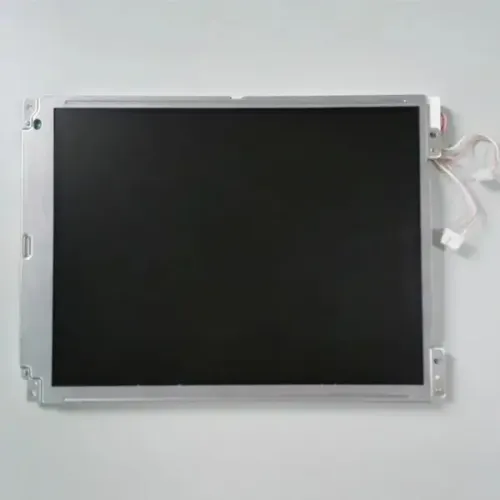
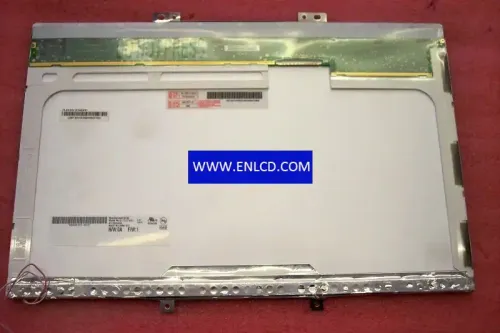
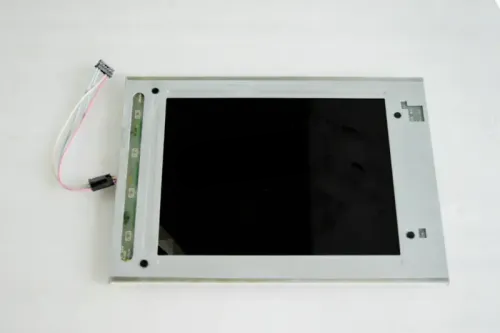
| Modello: | AA150XT12DDE11 |
| Marca: | Mitsubishi |
| Diagonale: | 15 pollici |
| Risoluzione: | 1024 × 768 (XGA, 85 PPI) |
| Disposizione dei pixel: | Strisce verticali RGB |
| Tipo di pannello: | a-Si TFT-LCD, LCM |
| Modalità di visualizzazione: | TN, Normalmente bianco, Trasmissivo |
| Luminosità: | 1200 cd/m² (tip.) |
| Rapporto di contrasto: | 800:1 (tip.) (TM) |
| Angolo di visione: | 80/80/60/80 (tip.)(CR≥10) (sx/dx/su/giù) |
| Direzione di visione ottimale: | ore 6 |
| Tempo di risposta: | 6/19 (tip.)(Tr/Td) ms |
| Colori visualizzabili: | 262K/16.7M 50% NTSC |
| Trattamento superficiale: | Trasparente |
| Retroilluminazione: | WLED, Senza driver |
| Frequenza di aggiornamento: | 60 Hz |
| Interfaccia: | LVDS (1 ch, 6/8-bit), 20 pins Connettore |
| Touch screen: | PCAP, USB |
| Area attiva: | 304.1 × 228.1 mm |
| Dimensioni d'ingombro: | 346.5 × 275 mm |
| Peso: | 1.95 kg (tip.) |
| Tensione di alimentazione: | 3.3V (tip.) |
| Temperatura di esercizio: | -20 ~ 70 °C |
| Temperatura di stoccaggio: | -20 ~ 80 °C |
| Applicazione: | Industriale |
| Specifiche pannello LCD | |
| Diagonale | 15-16.9" |
| Risoluzione | 800-1279 px (WVGA/SVGA/XGA) |
| Interfaccia | LVDS |
| Numero di pin | 1-20 |
| Applicazione | Industriale |
| Tecnologia del pannello | a-Si TFT-LCD |
| Modalità di visualizzazione | TN |
| Touch screen | Capacitivo (PCAP) |
| Luminosità | 1000-1499 nits |
| Retroilluminazione | LED |
| Temperatura di esercizio | Estesa (-20 °C) |